

AI Product Experience Redesign
An end-to-end product redesign focused on simplifying AI workflows, strengthening information architecture, and creating a scalable experience.
What is Orca GPT
An AI workspace designed to help users interact, create, and work with AI.
-
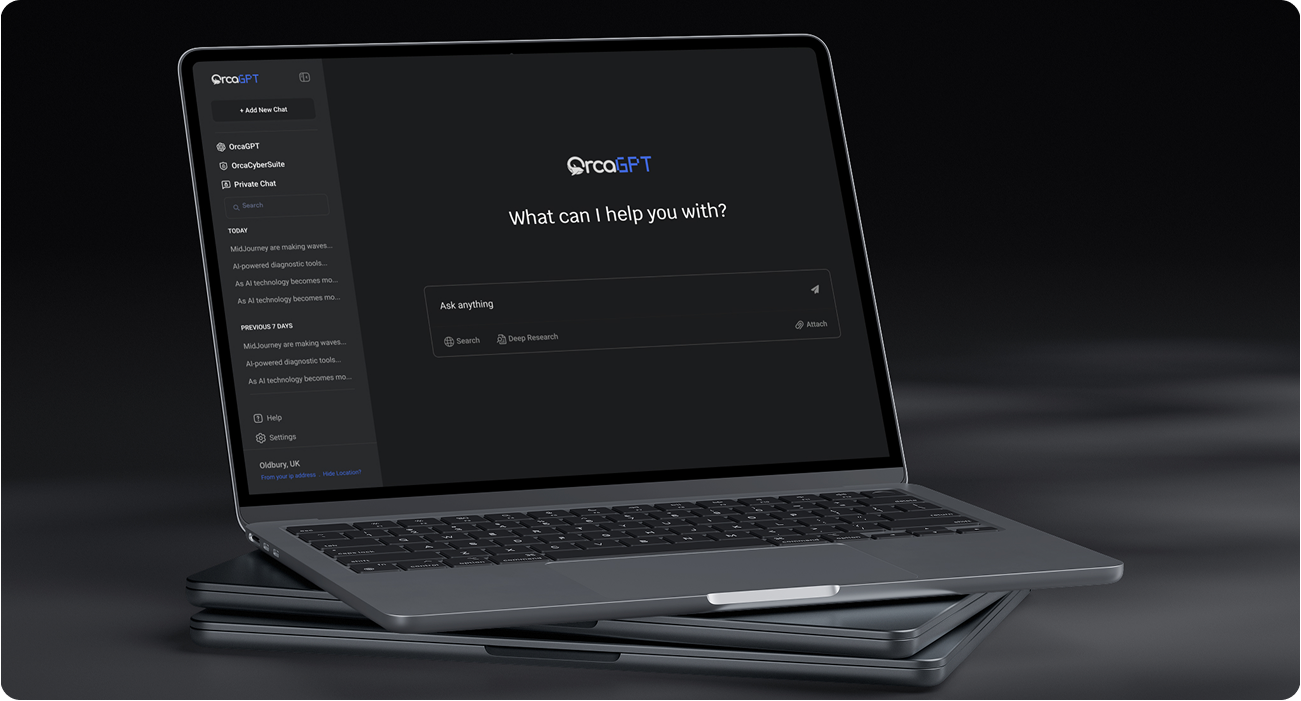
OrcaGPT is an AI-powered web application built around conversational AI and productivity-focused workflows.
-
I redesigned the product experience across its information architecture, user flows, AI interactions, visual system, and responsive interface.
-
The goal was not simply to make the interface look better.
-
It was to make the product easier to understand, easier to use, and easier to scale.
The Problem
The Product Had Capability.
As the product evolved, the interface needed to better support the complexity of an AI workspace. Navigation, content hierarchy, and interaction patterns had opportunities to become more intuitive and consistent.
The challenge was to create a simpler experience without removing the flexibility and functionality users expect from an AI product.
01
Interface Complexity
Important information and actions competed for attention, making the experience harder to scan.
01
Interaction Clarity
The relationship between prompts, responses, and follow-up actions needed a more intuitive structure.
03
Product Consistency
Different screens and interactions needed to feel like one cohesive product experience.
How I Thought
What Success Looked Like
Instead of designing around features alone, I focused on the tasks users perform inside an AI workspace.
Simplify
Create a clearer and more intuitive AI experience of this product for users.
Clear Information Architecture
Improve navigation, information architecture, and core user flows.
Consistent Visual Language
Build a reusable design system that could support future product growth.
"The goal wasn't simply to redesign the interface. It was to create a stronger foundation for the product."
My Approch
From Discovery to Delivery
I approached OrcaGPT as an end-to-end product design challenge, connecting UX strategy, information architecture, interaction design, visual design, prototyping, and development handoff.

Research & Discovery
- Define user personas
- Competitor analysis
- User journey mapping for tasks
- Identify key pain points
- Competitive Analysis

Wireframing &
Prototyping
- Chat interaction with AI
- Task-based flows
- Prioritize quick iteration
- Interactive prototype
- Usability tests

Visual Design
- UI style
- Design for accessibility
- Design system
- Animation and Interaction

Prototype & Handoff
- High-fidelity prototype
- Responsive layouts
- Component documentation
- Developer specifications

Validate & Refine
- Review design decisions
- Gather feedback
- Iterate on usability
- Refine the experience
Research & Discovery
Competitor analysis
User journey mapping for tasks
Identify key pain points
Competitive Analysis
Wireframing &
Prototyping
Task-based flows
Prioritize quick iteration
Interactive prototype
Usability tests
Visual Design
Design for accessibility
Design system
Animation and Interaction
Developer Handoff
Component documentation
Define design-to-dev interactions
Post-Launch Evaluation
Collect feedback through in-app surveys
Plan for iterative design updates based on usage trends
The Solution
Turning Complexity Into a More Focused Product Experience
The redesign focused on simplifying the AI experience, reducing visual complexity, and creating a scalable product system where every interaction had a clear purpose.
01
User-Centered Experience
Understand user goals and workflows to create an AI experience that feels simple, intuitive, and easy to navigate.
02
Simplified Info Architecture
Organize conversations, tools, and features into a clear structure that helps users find what they need without losing context.
03
Clear Visual Hierarchy
Use typography, spacing, contrast, and layout to prioritize important information and make complex content easier to scan.
04
Focused Interaction Design
Design intuitive prompts, responses, controls, and actions that reduce friction and help users move naturally through the experience.
05
Scalable Design System
Create reusable components, styles, and interaction patterns that maintain consistency and support future product features.
06
Responsive & Accessible
Adapt layouts, navigation, and interactions across devices while maintaining usability, readability, and a consistent product experience.
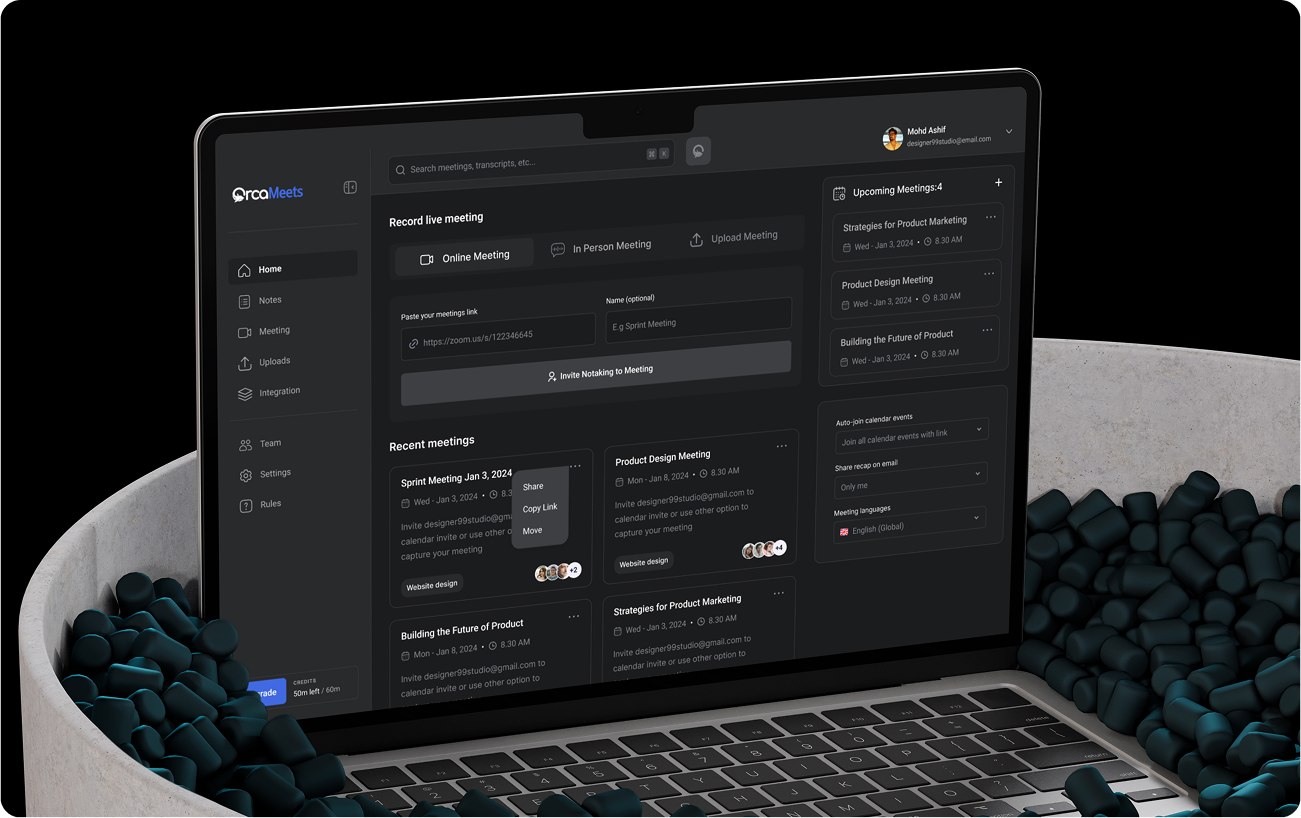
How The Product Change
From Complexity to Clarity
The redesign wasn’t limited to visual polish. I improved the product experience across structure, interaction, interface, and scalability.
"The result is a product experience that feels simpler without sacrificing functionality."
Results & Outcomes
The redesign created a clearer, more cohesive experience while establishing a scalable foundation for future product development.
%
of users completed onboarding without external support
%
Increased task completion rate:
%
preferred the new interface over the previous version
Final Takeaway
Designing the Experience Behind the Intelligence
- OrcaGPT was more than a UI redesign.
- It was an opportunity to rethink how users navigate, interact with, and understand an AI-powered product.
- By connecting UX strategy, information architecture, interaction design, visual systems, prototyping, and development handoff, I created a more focused and scalable product experience.
Strategy → UX → UI → Design System → Prototype → Handoff
Recent Works
Selected Projects
Explore my selected projects, showcasing my dedication to innovative and heartfelt design.
No Results Found
The page you requested could not be found. Try refining your search, or use the navigation above to locate the post.